
Becoming a freelancer is not the easiest thing you’ll do in your life. However, it might very well be one of the most satisfying – that, only if you use the best productivity tools for freelancers available to us in these times of digital life. I have been a freelancer for quite a few years now, and whether I was a make-up artist, a freelance writer, or a blogger, my freelancer lifestyle was very much impacted by my lack of knowledge as to how to do time tracking properly.
I have written quite a few guides on The Working Line about productivity, especially when you’re living life in a hostel, enjoying your digital nomad status and newfound freedom abroad. I told you I would write about the best productivity tools for freelancers some time ago.
So, if you want to nail down freelance time management and productivity, then you are exactly where you need to be today. Of course, I am talking about apps to help you with your creative freelancer lifestyle and productivity. Still, some tools here are also great student productivity apps, and you are going to want to use quite a few of them even if you’re still a college student.
New to The Working Line?
If you’re new to The Working Line, welcome to your BFF productivity magazine online. Here, I talk about everything and anything from becoming a freelancer to living abroad as a digital nomad and life management.
I have written about the best ways to do homemade meal prep some time ago, the best places to write read, and study in Rome, and even the best coworking spaces in East London. Becoming a freelancer is one of the most gratifying things you’ll ever do in your life if you use the best tools for freelancers that have been built for our productivity and our happiness.
If you would like to read more about work productivity and places to work around the world, then these are the following guides on The Working Line that might be helpful for you:
- the best ways to save money for travel as a student abroad
- the best tips to be productive while living in a hostel
- and the best cafes to work in Paris France
For now, let us focus on the best free productivity tools for freelancers to use day in and day out so you can become the best professional version of yourself!
9 FREE Productivity Tools For Freelancers To Use Every Day


Time tracking for freelancer performance is one of the first skills you should have when you’re trying to lead a freelance lifestyle, especially if you’re living abroad. To be honest, I am using quite a few writing productivity apps as a freelance writer and blogger, because I am not the best when it comes to freelance time management.
It is not always easy to focus, especially when you’ve just started out, and becoming a freelancer means that you take all and any responsibility for your career and your productivity. You need to stay organized, and beyond motivated, you’ll need to remain as disciplined as possible.
In this guide, I will tell you about the best free productivity tools for freelancers. That includes productivity apps like Trello, Chrome extensions, and a few websites that will really help you bring out your most productive self.
That way, you can finish your projects on time, and maybe even exceed expectations and deadlines. As I said, some are also really good student productivity apps. In fact, my sister, who is studying in her third year of medical school, also uses a few of these tools I will mention here today, so there are really good productivity tools for everyone here.
Best Productivity Tools For Freelancers: Trello

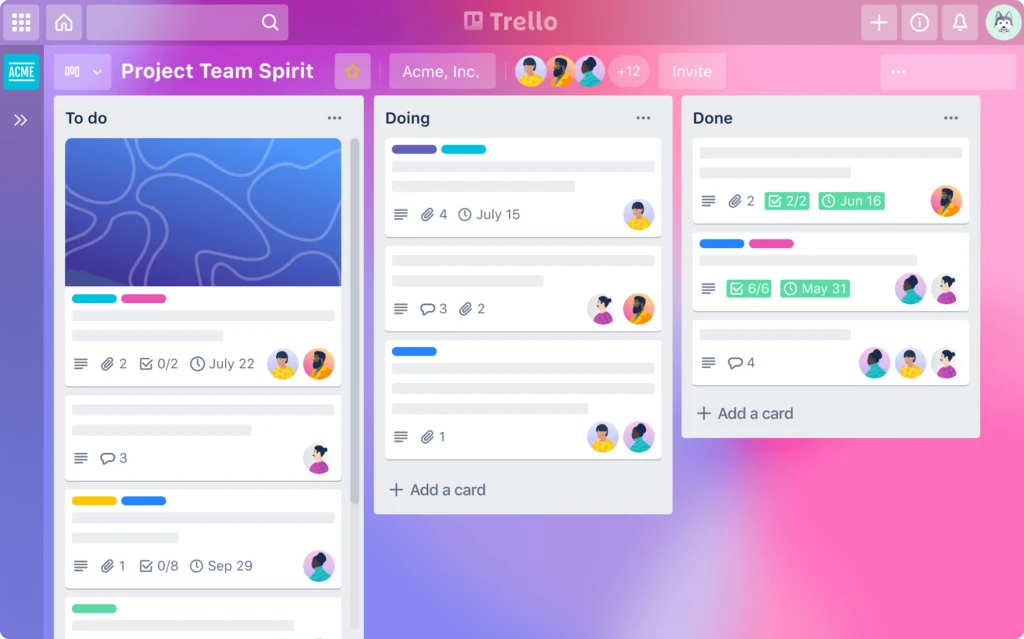
Trello is one of the best free productivity tools for freelancers I have ever come across, and to be honest, I have tried many, many different apps when I was a student and when I started my freelance career. Trello is an app and a website that is perfect when you’re looking to increase your productivity.
It is an organizational tool that allows you to sort out your tasks by lists and cards, basically. On each card that you create, you can set a deadline, you can change the color of the cover, and you can literally do anything and everything that will help you increase your productivity as a creative freelancer.
READ: Inspiring Magical Harry Potter Candles To Check Out
In my opinion, this is one of the very best productivity tools for freelancers, students, and digital nomads who are taking their courses and career seriously. As a writer, I use Trello to sort out the articles I need to write by category, and I even have a list on the right that shows when I am done with such and such topic.
If you’re looking for free productivity tools for freelancers and digital nomads, that’s one of the very best you’ll ever come across because it really helps with deadlines and sorting out the endless tasks you have to do next.
Free Productivity Tools For Freelancers: Forest

I first discovered Forest when I started working with my sister. She is a medicine student who, like me, is always looking for the best student productivity apps. That way, she gets better at revising her lessons, taking notes, and working on projects she has a tight deadline for.
Becoming a freelancer means that you have to manage your time properly. It’s not a matter of being motivated, it’s not a matter of wanting to do it or not. Since you have decided to leave a freelancer lifestyle, then you have to work on managing time, and that means finding the best productivity tools to do so.
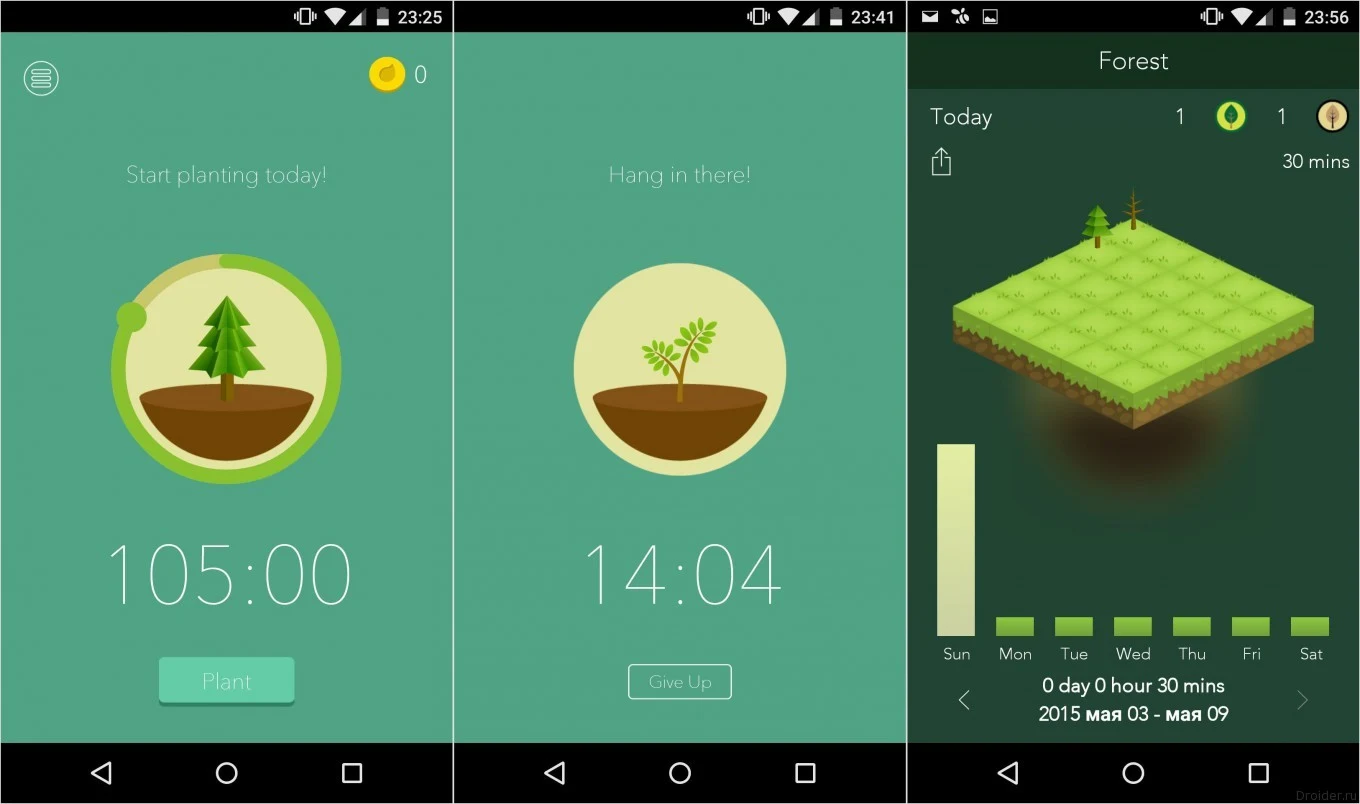
Forest provides time tracking for freelancers, students, or anyone who works from home and would like to get organized and work under the pressure of a deadline that you set for yourself. Basically, you can plant a tree according to the amount of time you’re going to be working.
As you progress, you earn the right to choose more and more beautiful trees. You can choose whether to be able to still check out your phone while Forest is working, or block the access to social media apps entirely. If you give up, your tree dies – easy.
I think that’s one of the best tools for freelancers who really cannot focus or are living abroad in a hostel and are not too sure how to do with time management. Really one of the best apps for whoever wants to lead the freelancer lifestyle or just learn to track time in a fun way.
Best Productivity Tools For Freelancers: Pomodoro Focus

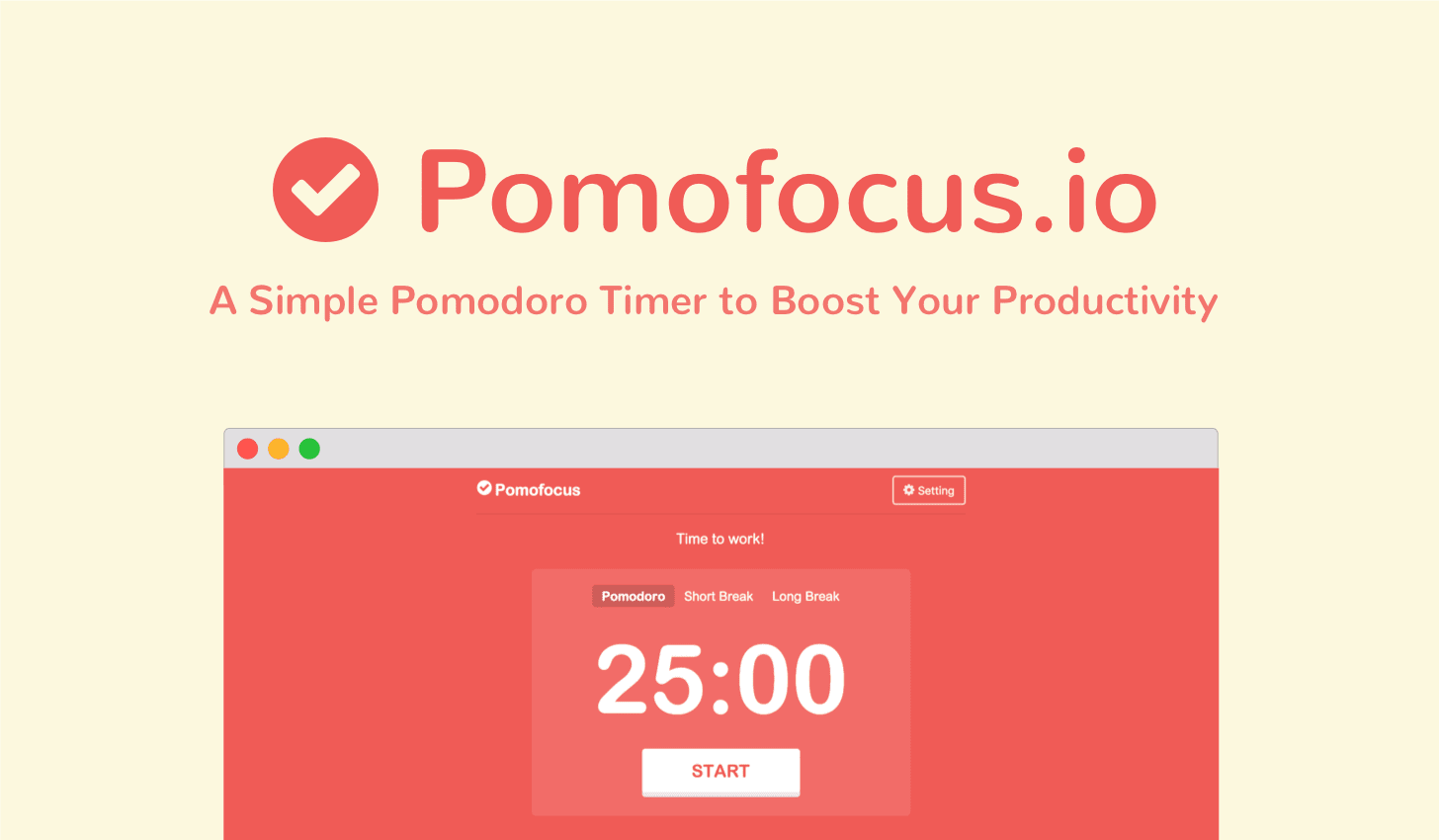
Another one of my favorite productivity tools for freelancers is the Pomodoro timer. This technique means that you’re going to be working for 25 minutes, take a break for 5 minutes, and do this three or four times before you are entitled to a 15-minute break.
When you’re not too sure how to start with freelance time management, I think that’s one of the best productivity tools for freelancers, students, digital nomads, and whoever is working from home and would just like to improve. I am not the best when it comes to setting deadlines for myself and respecting them, and the Pomodoro timer really is one of the free productivity tools that will help you increase your work performance.
I think that anyone should use that kind of productivity app because it’s so simple, and just a great way to hold yourself accountable for the tasks you set for yourself. If you’re looking for free productivity tools for freelancers, that’s one you should always have at hand, bookmarked on your computer
Free Productivity Tools For Freelancers: Google Docs

When we talk about the best tools for freelancers, what we talk about is productivity. Obviously, we don’t talk about freelancer expense tracking at that point, and what we mostly focus on is freelance time management. And ways to help you get the most out of your day.
Yet, sometimes, we overlook productivity apps like Trello, or the even more basic Google Docs. If you’re a creative freelancer or a student, Google Docs can really help you out. That’s where I write my articles before I publish them on The Working Line or before I send them out to clients I’m writing for.
Read: The Most Inspiring Stationery Shops in London
That’s one of the best free productivity tools for freelancers because it allows you to save without having to actually push the save button so if your PC shuts down, you still have the document available. You also have voice typing available, and if you need to take notes on the go on the bus or in the car, then you can also do so as you’re traveling to your destination.
I have Google Docs always with me whether I’m working on the computer or the phone, and in terms of Chrome productivity apps, I think you just can’t top it. Especially if you’re working on group projects, since you can send the documents to anyone.
You can allow people to be viewers, editors, or just have the ability to use the suggestion mode. So, if you’re looking for the best productivity tools for freelancers, or are looking to get into writing or group projects, Google Docs is going to be one of your best bets. For me, it is one of the best websites slash apps, and it has really helped me write much, much faster.
Best Productivity Tools For Freelancers: Speech To Text

I do not know why not more people use Speech to Text extensions as in my opinion, that’s one of the best productivity tools for freelancers, students, and digital nomads brought into one. Speech to Text extensions on Chrome are plenty, and they are some of the writing productivity apps that I use day in and day out.
Because I write very long articles, I usually prefer talking to the computer or my phone, and even if there are some mistakes in the text, I can then edit the article and make it as perfect as I want it to be. That is one of the writing productivity apps that will help me jot down my thoughts faster than typing ever would allow me to.
As I am writing this article, I am using Speech to Text as one of the Chrome productivity apps. Instead of spending 6 hours on the article, I might be spending 3 or 4, which is already something I could qualify as a gain of time when it comes to freelancer productivity. I want to share my thoughts and actually help you lead the best freelancer lifestyle you can, but I definitely want to express these ideas as fast as I can.
I have recommended Speech to Text Chrome apps to many writers around me, and I know some of them really love it. Some of them cannot stand the fact that you have to edit the text afterward, but that is something I’m personally okay with because at least, all the ideas are written, and all I have to do is clarify the text and write it up in a better way.
There are a lot of Speech to Text writing productivity apps online, however, the last one I have found is a basic Chrome extension that actually works better than lots of other voice-to-text websites. Believe me, I have used many of these productivity tools for freelancers looking to get into writing, and that one is clearly one of the very best – and free!
Tailwind

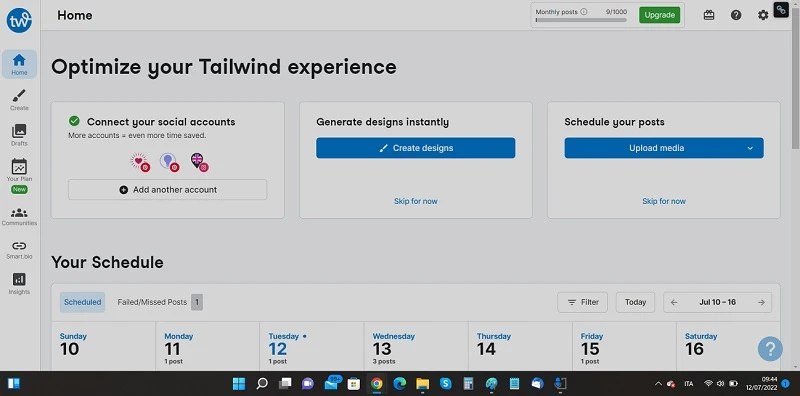
Next up, Tailwind, another one of the best productivity tools for freelancers and digital nomads whether you are a freelance writer, a social media manager, or are working on building your business and would like to use Instagram and Pinterest to market your product.
When you’re trying to become a freelancer, the beginnings can be quite difficult. It is slooooow to start a business, especially if you’re a creative freelancer and have to build your own website and your online presence. There are lots of content design tools out there, but to schedule them, I feel that Tailwind is the best.
Tailwind is not going to help you with freelancer expense tracking at all, but in terms of time management, it’s going to become your best friend forever. The screenshot I have included is my own Tailwind dashboard, and as you can see, you can schedule posts with a specific time on both Pinterest and Instagram.
Read: The Best Pret Cafes To Work in London, Study, or Read
If you’re a creative freelancer, then that’s definitely going to be one of the free productivity tools you’re going to want to use. However, Tailwind is not completely free, and over 20 posts, pins, or reels posted in a month, you’re going to have to upgrade. Still, it’s going to be the best upgrade you’ll ever want to do if you want to grow both your freelance productivity and presence.
To be honest, the investment that you might be doing is going to be well worth the views with Tailwind, since it helps you build your presence and your business steadily. If you’re not too big on using Instagram and Pinterest regularly, that’s a great tool that will do it for you, thus giving you time and freedom to work on other more pressing matters.
Best Productivity Tools For Freelancers: Evernote Web Clipper

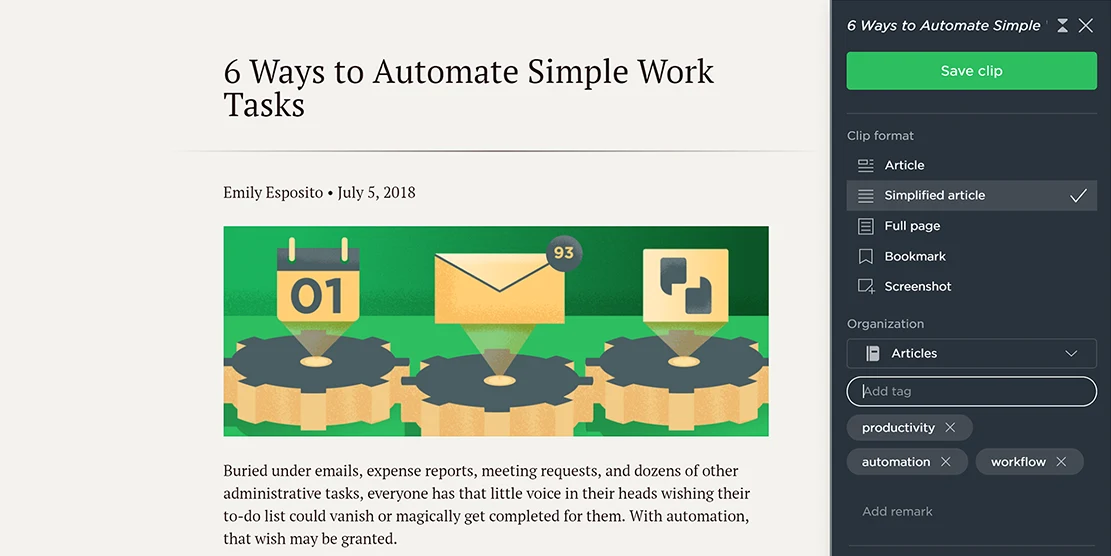
Evernote Web Clipper is one of the very best productivity tools for freelancers who need information at hand at all times. Instead of downloading the full Evernote app, I use Evernote Web Clipper extension on my computer. It’s not going to provide you with time tracking for freelancer and student work, however, it is going to allow you to screenshot and organize articles and images found on the web.
That means you can create your own little cluster of ideas and when you’re writing an article for a client or an essay for college, believe me, that’s one of the free productivity tools for freelancers you’re going to want to have at the ready at all times.
Evernote has that free Chrome extension and it also has some paid plans that you can look into. That could come in handy to lead a creative freelancer lifestyle abroad, when you know you’re going to need more options than the Chrome productivity app will offer.
I feel it’s one of the best productivity apps like Trello for instance, where you can keep ideas plucked straight from websites to mention as sources in articles and papers. If you can come across free productivity tools for freelancers that powerful and that helpful, you should not overlook that, as it’s going to help with freelance time management big time.
Streak

Streak is one of the best productivity tools for freelancers hands down. I have been using Streak ever since I looked into becoming a freelancer. It is a Chrome extension that you can add to your computer to track who has read your emails, when, and it also allows you to categorize all the pitches you send out to potential clients in lists.
No time tracking for freelancer people here, no time management or expense tracking. However, Streak really is one of the free productivity tools that can help you see whether your pitches work, how long potential clients take to open your emails, and it helps you understand whether your subject line is catchy enough that people will open your email and answer you.
Read: The Very Best Coworking Spaces in Paris France
That is why I have included it in this guide to the best productivity tools for freelancers and digital nomads, because for whoever wants to lead a creative freelancer lifestyle, Streak is really going to become one of your online best friends.
Best Productivity Tools For Freelancers: Upwork

This last one on this list of the best tools for productivity tools for freelancers is not actually a productivity tool, but it’s really a website that I think any kind of freelancer should use at some point or another. And that, friends, is Upwork.
When I first started looking into ways for becoming a freelancer, Upwork was one of the first websites I ever used. Although it’s not one of the productivity apps like Trello, it is a website that’s going to help you work on your productivity and setting deadlines for yourself.
Upwork is actually a freelancer website where you can get jobs as a writer, a graphic designer, a fashion designer, and any kind of freelance job that will help you lead that freelancer lifestyle that you’re so interested in. No time tracking for freelancers, no productivity here, however, Upwork will help you make money.
It will also teach you how to actually apply to freelance jobs, see what kind of cover letter works, and it will also help you build your portfolio. So really, in terms of freelancer productivity, it does help more than you could have thought if you’ve come across Upwork already. Do check it out!
9 FREE Productivity Tools For Freelancers To Use Every Day


There you have them, the best productivity tools for freelancers, students, and digital nomads living life at a hostel. Freelance time management is the first thing you should focus on when you’re trying to become a freelancer, because it really rules everything you’re going to be doing during the day. Sometimes, when I need help, I head over to Facebook groups, as you can find lots of freelancers and digital nomads who have been through the same struggles of work productivity you’re in right now.
As such, you should definitely be using apps such as Trello and the Pomodoro technique website if you’re really looking to respect the deadlines that you’re setting for yourself. There are also lots of amazing Chrome productivity extensions that I will talk about in just a bit, as I do use quite a few extensions in my day-to-day work life.
If you’re a student looking for ways to become a better college student, I have written a guide about this on The Working Line for you. Also, I already have mentioned in quite a few other guides the best tools for freelancers looking to improve their working from home skills. Later on, I will write about freelancer expense tracking and money management for students.
For the time being, if you would like to learn about more amazing coworking spaces to work around the world and work organization, these are a few guides on The Working Line I can recommend next:
- the best cafes to work in Rome, study, or chill
- the best tips to combine freelance productivity and life in a hostel
- and the best coworking spaces in Soho London
Until next time!
PS. If you would like to know how to do a homemade meal prep easily whether you’re a college student or a freelancer, you should definitely check out my easy tips!